

In the hotel business, first impressions are important. And today, those first impressions often don’t happen at the front desk—they happen through email. When a guest receives a clear and friendly hotel reservation confirmation email, they feel confident and well taken care of. This small action can make a big difference.
In this article, we’ll show you:
- What to include in your confirmation emails
- How to send them automatically using your PMS and booking engine
- Templates you can use right away
- Simple tips to make things easier for your team and better for your guests
Why Confirmation Emails Are Important for Your Hotel
After a guest books a room, they want to feel sure everything went through correctly. A confirmation email for hotel booking helps you show the guest that their booking is safe and confirmed. This is also your chance to share important details before they arrive.
For your hotel, these emails:
- Reduce the number of phone calls asking, “Is my booking confirmed?”
- Help avoid no-shows
- Give you the chance to offer extra services like airport pickup or breakfast
- Make sure all departments (reception, housekeeping, etc.) are working with the same information from your PMS (Property Management System)
What to Include in Your Confirmation Email
Guests want clear and simple information. Your confirmation email should include all the important booking details so that the guest feels informed and ready.
How to Send Confirmation Emails Automatically
If you’re using a cloud-based hotel PMS (like Cloudbeds, Little Hotelier, or RoomRaccoon), you already have the tools to automate your emails. Paired with a reliable web booking engine, the system can automatically send a confirmation email to the guest without anyone on your team having to do it manually.
Why This Helps You
With the right setup, your booking engine and PMS can work together to send personalized emails as soon as a booking is made.
Easy Tips to Make Your Emails Better
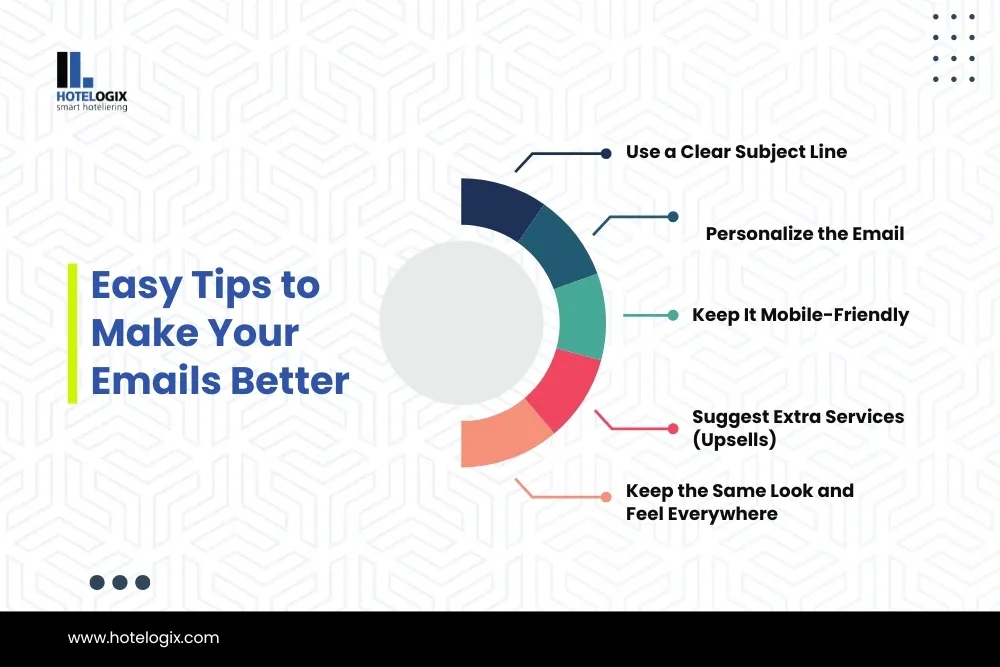
1. Use a Clear Subject Line
Guests receive many emails. Your subject line should clearly say what the email is about.
Examples:
- “Booking Confirmed – The Seaside Inn”
- “Your Stay at City Lodge is Confirmed (Booking #3492)”
Avoid subject lines like “Details inside” or “Your info,” which might be ignored or seen as spam.
2. Personalize the Email
The email should feel like it’s made just for the guest. Use their name, include the dates of their stay, and mention their room type.
Example:
Hello Mr. John, Thank you for booking with us at Greenview Hotel. Your stay from May 15 to May 18 is confirmed in a Deluxe King Room.
Most PMS systems allow you to set this up using tags like {guest_name} or {check_in_date}.
3. Keep It Mobile-Friendly
Guests often check their emails on their phones. Use:
- Short sentences
- Clear headings
- Big buttons or links
- Clickable phone numbers and map links
4. Suggest Extra Services (Upsells)
Your confirmation email is a good place to offer upgrades or extra services. You don’t need to be too pushy. Just offer options that make the guest’s stay better.
5. Keep the Same Look and Feel Everywhere
Whether your guest booked from your website, by phone, or through an OTA like Booking.com, your confirmation email should always look the same. Set one standard email format in your PMS for all booking sources.
Templates You Can Use Today
Here are 3 ready-made hotel email templates you can copy and edit.
🟢 Template 1: Simple Confirmation Email
Body:
Hello [Guest Name], Thank you for booking with us at Blue Ocean Hotel.
Booking Details Check-in: August 10 at 2:00 PM Check-out: August 14 at 11:00 AM Room: Deluxe Sea View Guests: 2 Adults
Payment Amount Paid: $560 Balance: $0
Hotel Contact Address: 21 Beach Road, Miami, FL Phone: +1 800 555 1234 [View on Map]
We look forward to welcoming you!
🟡 Template 2: Email with Add-Ons
Body:
Hello [Guest Name], Your stay at Mountain Retreat is confirmed for September 12–14.
Want to add a few extras?
✅ Airport Pickup – $30
✅ Breakfast Buffet – $10/day
✅ Early Check-In – $25
[Click here to add extras]
Let us know if you have any questions. Call us at +1 222 555 6789.
🔵 Template 3: Reminder Email (Day Before Arrival)
Body:
Hello [Guest Name], Just a reminder about your upcoming stay:
Check-in: Tomorrow after 2 PM
Room: Garden Suite
Booking #: 780014
Hotel Info: Address: 100 Main Street, Austin, TX Phone: +1 555 0123
Need anything before you arrive? Just reply to this email.
How to Track and Improve Your Emails
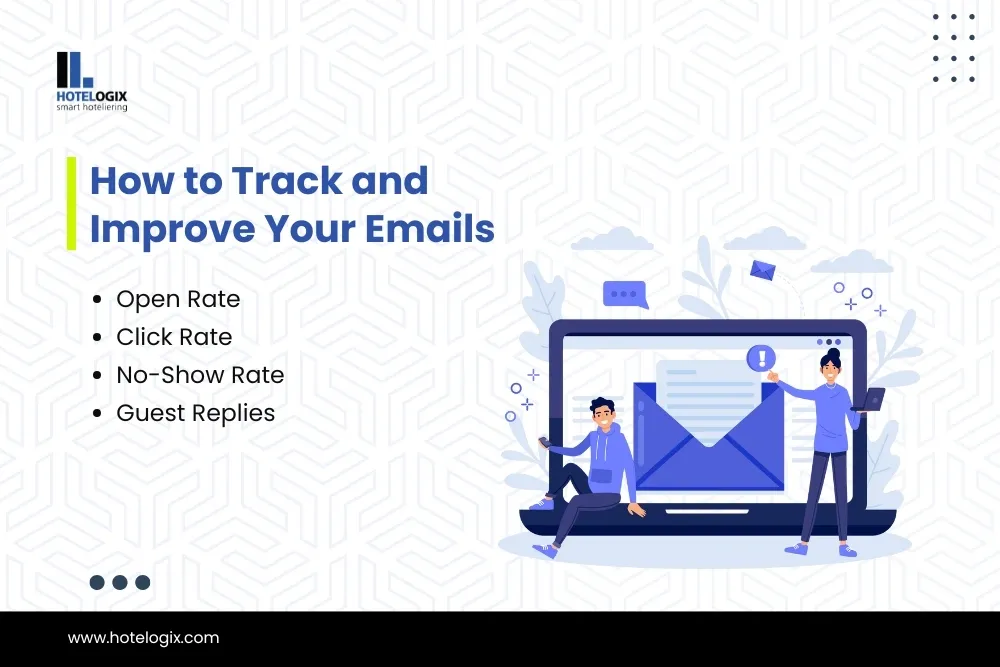
Check your email system or PMS to track how well your emails are working. These numbers help you understand what to improve:
Use this data to test different subject lines or offers. Even small changes can lead to better results.
How Hotelogix Helps You Automate Confirmation Emails Easily
What makes it especially helpful is that the system automatically pulls guest information, booking details, and payment status directly from your PMS records—no manual entry needed. You can create personalized email templates, and Hotelogix will send them instantly to guests at each stage of their booking journey: confirmation, pre-arrival, and even post-check-out.
Why Hoteliers Like It:
- Auto-sends confirmation emails right after a booking is made
- Syncs seamlessly with OTAs, channel manager, and your website
- Lets you customize email content and branding
- Reduces front desk workload and follow-up calls
With Hotelogix, your team can focus more on guest service while the system takes care of accurate and timely guest communication—keeping operations smooth and guests reassured.
Final Thoughts
Sending a professional and friendly hotel reservation confirmation email shows guests that you care and are organized. It also helps your team stay on the same page.
By using your PMS and booking engine to send these emails automatically, you save time and reduce mistakes. It’s also a great way to enhance your reputation management efforts by making every interaction professional and consistent. With the right format and a warm tone, your confirmation emails can start the guest experience on the right foot—even before they arrive.